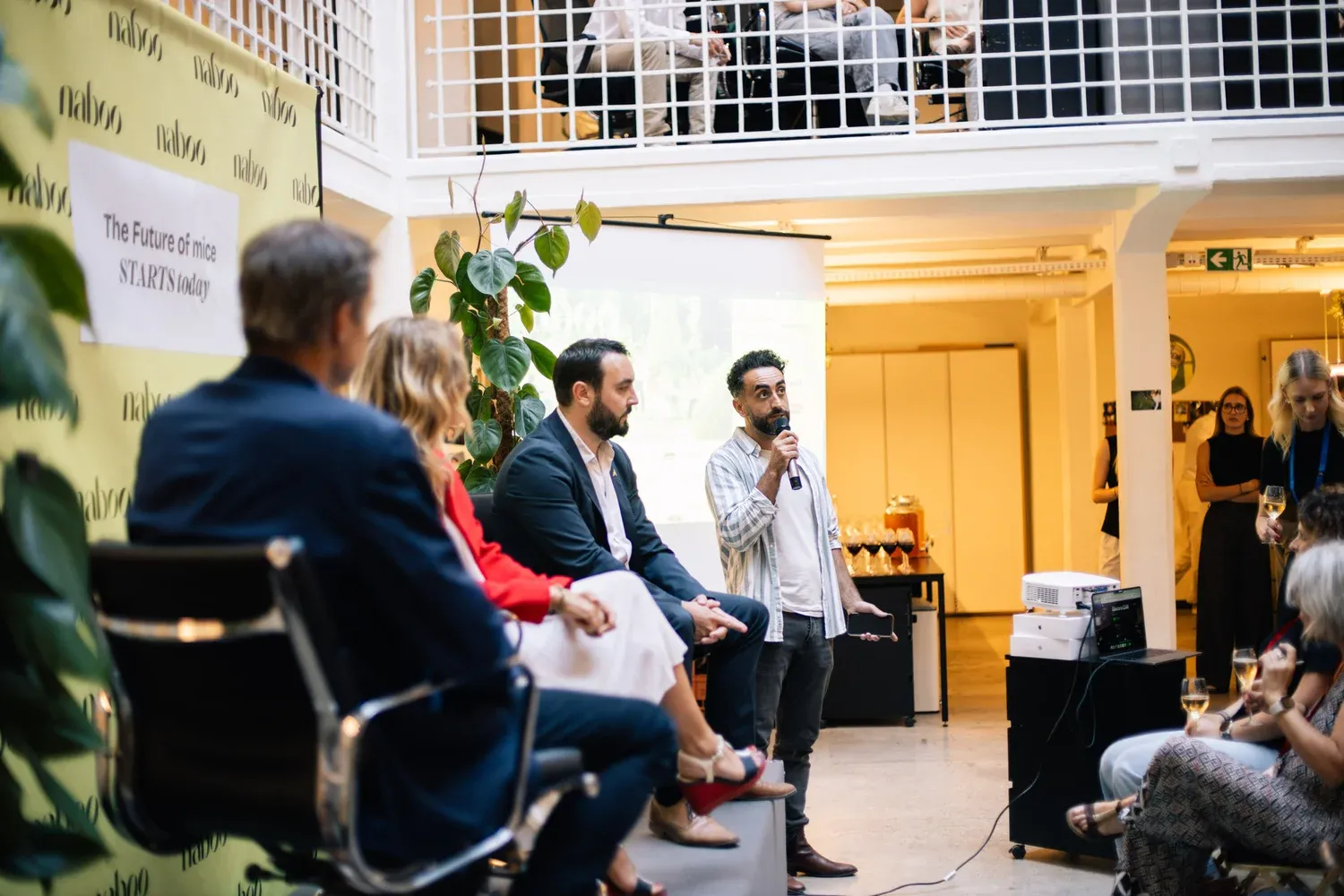
AI tools for event management help planners cut the admin that slows a programme down, from finding workable dates to answering routine questions and shaping attendee experience. Start with the task that takes the most time, then use the tool to keep the event moving and the information clear. For a small team, that might mean scheduling and basic support.
Key takeaways
- Automated event scheduling helps compare calendars across large groups, including teams in Leeds and partners in Birmingham, and it takes travel time into account when finding workable dates.
- Personalised attendee networking uses registration data and professional interests to suggest useful connections and sessions that fit each guest's role or current projects.
- AI support and communications assistants can answer practical questions, add live captions and instant translation, and keep routine queries away from the organiser's desk.
- AI-powered event design tools can draft posters, landing pages, email invites, session descriptions and social posts, but the final check still sits with the team.
- AI ROI analysis reviews feedback, attendance patterns and session numbers after the event so planners can see what people valued and report back with evidence.
- Naboo's own view is that AI should handle repetitive tasks and leave more room for human relationships, while the organiser keeps control of the event and checks outputs before they go live.
1. Automated event scheduling
AI-powered scheduling tools remove the back-and-forth that usually slows early planning. It looks across the calendars of large groups, from teams in Leeds to partners in Birmingham, and helps identify workable dates for talks and workshops.
It also takes travel time into account, which matters when people are moving across the UK. It can update the schedule when a speaker's train is delayed or a session overruns, then send changes to attendees quickly.
Group setup: large groups, from teams in Leeds to partners in Birmingham
Best for: finding workable dates and keeping the schedule moving
How to apply: Use it to compare calendars and spot dates that work across the group. Build travel time into the first pass so you avoid clashes later. If plans change, update the schedule and send the new timing to attendees quickly. For smaller teams, use it to cut down hours of manual chasing.
2. Personalised attendee networking
AI tools for personalised attendee experiences help guests meet the right people instead of leaving networking to chance. It uses registration data and professional interests to suggest who should connect, which makes networking more deliberate and useful.

It can also shape the day around each guest by suggesting sessions that fit their role or current projects. That keeps the programme more relevant and helps attention stay high.
Group setup: the whole attendee group
Best for: better networking and a more relevant programme
How to apply: Feed in registration data and professional interests so the tool can suggest useful connections. Use the same data to recommend sessions that fit each guest's role or current projects. Keep the focus on real business relationships rather than random introductions. Use it when you want the event to feel built with the attendee in mind.
3. AI support and communications assistants
AI solutions for event planners handle a lot of the questions that used to land on the organiser's desk. Virtual assistants can answer practical queries such as how to get to the venue or whether gluten-free options are available.
These tools also support live captions and instant translation for international guests. That helps people take part properly and gives the team more time for the parts of the event that need a human touch.
For written event materials, a context-aware AI translator, such as Lara Translate, can help organisers translate invitations, agendas and attendee guides for international guests. Prepare the different language versions before the event, then review names, dates and practical details so everyone receives clear, consistent information.
As Maxime Eduardo, CEO at Naboo, puts it:
"It's very reassuring. A lot of people are afraid of AI, but it's coming to save us from repetitive tasks and offer us more human relationships."
Group setup: the whole event
Best for: support, comms and inclusion
How to apply: Set up a virtual assistant to answer practical attendee questions at any hour. Add live captions and instant translation if you are welcoming international guests. Use the tool for routine queries so the team can focus on higher-touch work. Check that the information stays clear and accurate before it goes live.
4. AI-powered event design tools
Creative corporate event technology helps teams produce posters, landing pages and email invites much faster than before. Instead of starting from a blank page, planners can generate on-brand visuals and copy in minutes.
The same tools can draft session descriptions and social posts, giving organisers a strong starting point for promotion. They do not replace judgement or taste, but they do cut down the time spent on routine content work.
Group setup: the whole team at once
Best for: design and promotional content
How to apply: Start with the assets you need most, such as posters, landing pages or email invites. Use the tool to generate on-brand visuals and copy, then adapt the draft to suit the event. Pull session descriptions and social posts from the same workflow so the tone stays consistent. Review everything before it goes out.
5. AI ROI analysis
Data analysis is where AI tools for corporate event planning become especially useful after the day itself. These systems can review feedback, attendance patterns and session numbers to show what actually happened, rather than relying on a vague sense of whether the event went well.
That gives planners a clearer picture of what people valued and where the programme needs work next time. It also helps teams report back to senior leadership with evidence of engagement and learning.
Group setup: the whole event after it ends
Best for: measuring what worked and reporting back
How to apply: Collect feedback, attendance patterns and session numbers after the event. Run the analysis to see which parts of the day people valued most and where the programme needs work. Use the findings to support senior leadership updates. Keep the evidence in view when you plan the next event.
Choose the right level of AI for your team
You choose the right level of AI by matching the tool to the size of the event and the maturity of your planning process. A small team may only need scheduling support and a basic chatbot, while a larger programme may benefit from personalisation and deeper reporting.
The point is not to use every tool available. It is to solve the problems that slow your team down most, in a progression from basic admin support to better attendee experiences and then strategic use of data.
Group setup: small teams or larger programmes
Best for: choosing the right tool level
How to apply: Start by looking at the size of the event and how your planning process already works. Pick the tool that solves the biggest bottleneck first, rather than trying to use everything at once. Move from basic admin support to attendee experience tools, then to data use if the team is ready. This keeps the technology tied to real work.
Avoid common planning mistakes
The biggest mistake is over-automating the human side of the event. AI can handle logistics and repetitive tasks, but it should not replace a warm welcome or a thoughtful organiser.
Another mistake is ignoring data privacy. In UK workplaces, that matters, and any system used for event management should follow proper data rules and be handled carefully. Planners should also check what the tool produces before it goes out.
Group setup: the whole planning process
Best for: avoiding common planning errors
How to apply: Use AI for logistics and repetitive tasks, but keep the human side of the event in human hands. Check that the system follows proper data rules before you use it. Review outputs before they go out so you catch errors early. Keep a quick final check in place to protect trust.
Improve attendee experience and engagement with AI
AI can make an event feel more relevant from the first interaction by using registration details, past attendance and feedback to tailor the attendee journey.
Use it to recommend sessions, highlight suitable content and suggest networking matches, so guests can find the most valuable people and activities more easily.
Group setup: the whole attendee journey
Best for: attendee experience, session discovery and networking
How to apply: Feed registration details, past attendance and feedback into your event tools to shape session suggestions, content recommendations and networking matches. Keep recommendations easy to understand and give attendees simple ways to adjust their preferences, so the experience feels helpful rather than intrusive.
Use AI for real-time event management
AI tools support real-time event management by giving organisers live information they can act on immediately.
If a session is running late, a room is too full, or an update needs to reach guests fast, the system can help push changes without delay. That matters when the day is moving quickly and there is no time for manual chasing. This kind of support is especially useful for larger conferences and multi-room programmes. It helps the team stay ahead of problems instead of reacting too late. The result is a steadier experience for attendees and less pressure on the people running the event.
Group setup: larger conferences and multi-room programmes
Best for: live changes and fast-moving event days
How to apply: Use it when the schedule shifts, a room fills up, or guests need a quick update. Let the system help push changes without delay. Keep the team focused on staying ahead of problems rather than chasing them manually.
Use AI for event content and promotion
AI can help with event content and promotion by speeding up the first draft of the work.
Use it to draft copy for posters, landing pages, email invites, session descriptions and social posts, giving planners a useful starting point rather than a blank page. This helps small teams keep pace with launches, reminders and follow-ups while still leaving room for human judgement.
AI is also useful for creating alternative versions of the same message. You can test subject lines, calls to action or short promotional copy, then refine the wording so it fits the event, audience and brand tone.
Group setup: small teams
Best for: drafting and testing event content quickly
How to apply: Use AI to create first drafts for event promotion, then edit the output carefully. Try different versions of key messages when you want to improve clarity, attendance or polish.
Improve accessibility and inclusion with AI
AI can support accessibility when it is planned around real attendee needs, not treated as a general add-on. Use it to help people follow content, find information and ask for support in ways that feel simple and respectful.
Live captions and instant translation are useful, but they should be set up with accessibility in mind. Check that captions are easy to read, available where sessions are viewed, and supported by clear audio. For translated content, make it clear what is available before and during the event so guests know how to use it.
Support assistants can also help attendees get practical answers quickly, especially around access routes, session locations, timings, quiet areas, seating, dietary needs and help points. Make sure these tools use plain language and offer a clear route to a person when someone needs extra help.
Group setup: the whole event
Best for: accessibility and inclusion
How to apply: Use AI to reduce barriers before and during the event. Share accessibility options clearly, test captions and translation in advance, and make support tools easy to use alongside human help.
Measure whether AI improved the event
Measure improvement against the goals you set before the event, rather than treating the technology as a result in itself.
Use AI outputs as prompts for a practical review: did the content meet audience needs, did the format support the intended experience, and did the team learn what to change next time? This keeps the assessment focused on decisions rather than raw reporting.
Group setup: the whole event
Best for: judging whether AI supported the event objectives
How to apply: Agree what a better event should look like before the event begins. After the event, review the AI-assisted insights alongside team observations. Record what to keep, what to adjust and what to test at the next event.
Start small with AI
For small teams, the best starting point is the work that creates the most admin and the least strategic value. Focus on practical support that makes planning easier before adding more advanced uses.
Use AI first for scheduling, basic attendee support and simple content drafting. These tasks are easy to define, simple to review and can help your team build confidence without taking on a full stack of tools at once.
Group setup: small teams
Best for: getting started with practical AI use
How to apply: Keep the rollout manageable. Once the basics are working well, move into personalisation and reporting with more confidence.
A realistic AI-assisted event in practice
A realistic AI-assisted event is one where the technology handles the repetitive work and the organiser keeps control of the experience.
For example, scheduling can be automated, networking suggestions can be personalised, and support questions can be answered quickly. That leaves the team free to focus on the atmosphere, the content and the people in the room. The best version is not fully automated. It is balanced. AI helps the event run more smoothly, but the organiser still shapes the tone and makes the final calls.
Group setup: the whole event
Best for: a balanced AI-assisted event
How to apply: Let technology handle repetitive work such as scheduling, networking suggestions and support questions. Keep control of the atmosphere, the content and the people in the room. Use AI to support the event without taking it over.
Frequently asked questions
AI helps save money on company events by reducing the time and admin that would otherwise need more hands.
By using time-saving AI for events, you do not need to hire as many external agencies or spend as many hours on admin. AI solutions for event planners also help you use your resources better and avoid expensive mistakes. AI can also make networking better by looking at professional data to suggest the best people for you to meet. For small teams, an AI-powered scheduling tool is usually the most useful option because it takes over difficult logistics.
Group setup: small teams and company events
Best for: saving money, improving networking and handling logistics
How to apply: Use time-saving AI for events to cut admin and reduce the need for external agencies. Use AI tools for personalised attendee experiences to suggest the most useful people for guests to meet. Link tools with the registration systems your business already uses, then use AI in event management to look at how people felt and how much they took part.
Frequently asked questions
How do AI tools help with corporate event planning?
AI tools help with corporate event planning by taking on scheduling, networking, support, design and analytics. They reduce repetitive admin, help people connect more deliberately, and give planners clearer evidence of what worked after the event.
How do you choose the right AI tool for a corporate event?
Choose the right AI tool by matching it to the size of the event and the maturity of your planning process. Start with the biggest bottleneck, then move from basic admin support to attendee experience tools, and only then to data use if the team is ready.
How do you run an AI-supported event well?
Run it well by using AI for logistics and repetitive tasks, while keeping the human side of the event in human hands. Check that outputs are clear and accurate before they go live, and keep human review in place for accuracy, tone and data privacy.
What group size is AI useful for in corporate event planning?
AI is useful for both small teams and larger programmes. A small team may only need scheduling support and a basic chatbot, while a larger programme may benefit from personalisation and deeper reporting.
How can AI help remote or hybrid teams plan events?
AI helps remote or hybrid teams by making scheduling easier across different calendars and by taking travel time into account. It can also support live captions and instant translation for international guests, which helps people take part properly.
What should planners use AI for first?
Planners should use AI first for the tasks that slow the team down most. That usually means basic admin support, then better attendee experiences, and then data use if the team is ready.